Contour Next Calibration: Control Solution & No Coding Guide

Table of Contents
- Quick Answer: Do Contour Next Test Strips Need Calibration?
- Contour Next Calibration vs. Control Solution Testing
- When Should You Perform a Contour Next Control Solution Test?
- What Do You Need for a Contour Next Control Solution Test?
- How to Perform a Contour Next Control Solution Test
- What Does an In-Range Control Solution Result Mean?
- What If the Contour Next Control Solution Result Is Out of Range?
- Does Contour Next Control Solution Calibrate the Meter?
- Does Every New Box of Contour Next Test Strips Need to Be Coded?
- Can You Use Any Control Solution With Contour Next?
- Can You Use an Expired Contour Next Control Solution?
- Does Temperature Matter During a Control Solution Test?
- Contour Next Control Tests Are Not Blood Glucose Results
- Joe's Translation: Contour Next Calibration
- Contour Next Meter Instruction Manuals
- Contour Next Calibration: Related Guides
- Bottom Line: Contour Next Calibration
- Contour Next Calibration: Products Mentioned
- About Xeteor
- Frequently Asked Questions
If you are searching for Contour Next calibration, the most important thing to know is that Contour Next meters use No Coding technology. You do not manually calibrate Contour Next test strips, enter a strip code, or insert a code chip before testing.
Instead, Ascensia uses a Contour Next control solution test as a quality-control check. The control solution contains a known amount of glucose and helps you confirm that your meter, Contour Next test strips, and testing technique are working together properly.
This guide explains when to perform a control test, how to do it, what an in-range or out-of-range result means, and why control testing is different from manually calibrating an older glucose meter.
For a broader overview of compatible meters, package numbers, supply, and buying options, see our Contour Next Test Strips Guide.
November 2026 Update: Contour Next Test Strips Supply
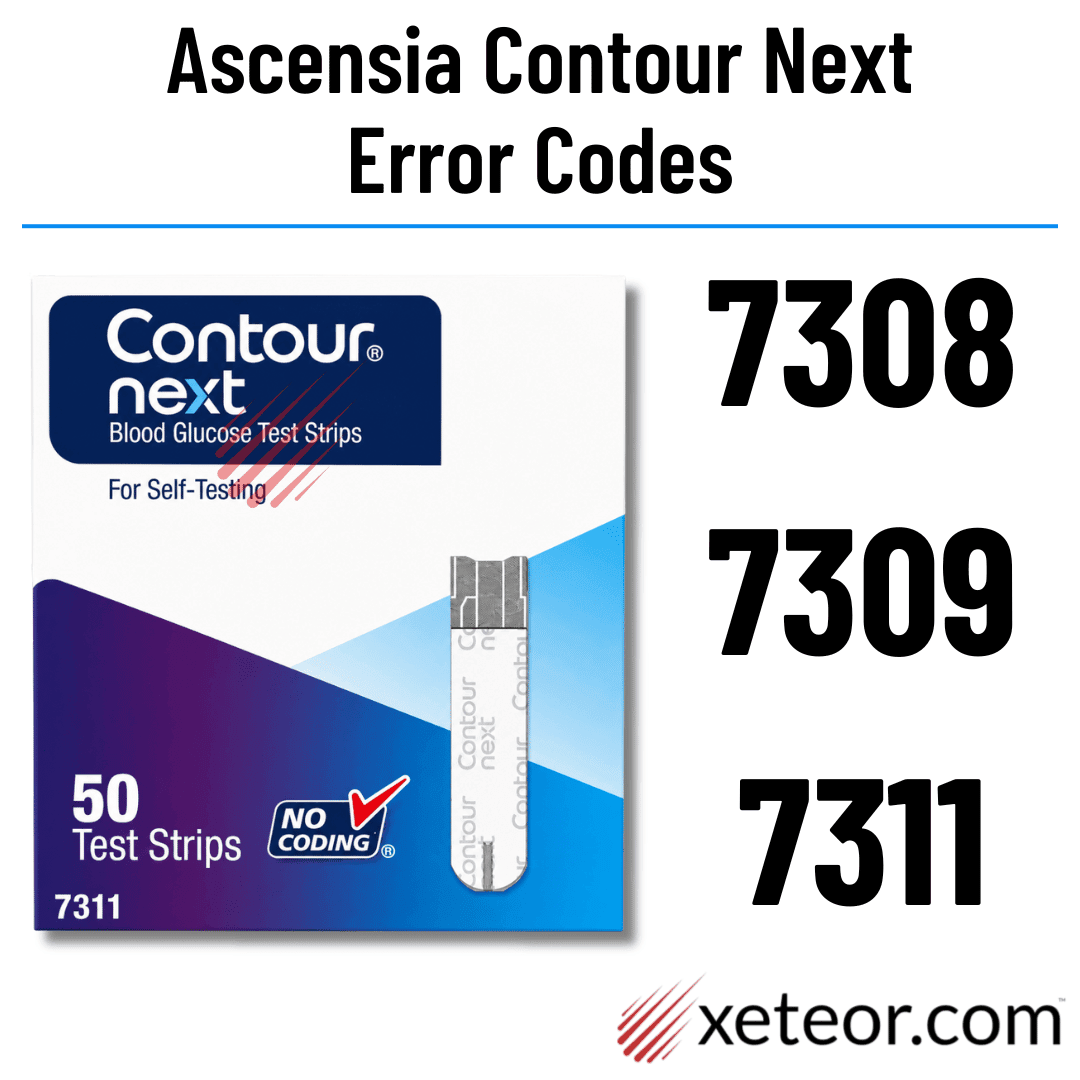
Contour Next remains a current mainstream glucose-testing system with stable replacement-strip availability. The 7308, 7309, and 7311 package numbers all belong to the same Contour Next 50-count strip family. The numbers reflect the original sales channel rather than a difference in strip compatibility.
Contour Next Test Strips - 7311: ✅ Stable Supply
Contour Next - 7308: ❌ Unavailable — Medicare package
Contour Next - 7309: ❌ Unavailable — Health Insurance package
Quick Answer: Do Contour Next Test Strips Need Calibration?
No manual calibration is required. Contour Next blood glucose monitoring systems use No Coding technology, so there is no code number you need to enter when opening a new box of Contour Next test strips.
What many people call "calibrating" a Contour Next meter is actually a control solution test. This is a quality-control procedure that checks whether the glucose meter and test strips are producing a result within an expected range.
A control solution test does not change or recalibrate the meter. It checks the system.
Contour Next Calibration vs. Control Solution Testing
The terminology can be confusing because older blood glucose meters sometimes required users to enter a code that matched a batch of test strips. Contour Next does not work that way.
| Procedure | Contour Next |
|---|---|
| Enter a test strip code | ❌ Not required |
| Insert a code chip | ❌ Not required |
| Manually calibrate each new vial | ❌ Not required |
| Run a control solution test | ✅ Recommended in specific situations |
The distinction matters because a control solution test is not a procedure for adjusting your meter. It is a way to verify that the Contour Next blood glucose monitoring system is working properly.
When Should You Perform a Contour Next Control Solution Test?
Ascensia recommends control testing in several situations. You should consider a control test:
- When using the meter for the first time.
- When opening a new bottle or package of Contour Next test strips.
- If you think the meter or test strips may not be working properly.
- If you receive repeated, unexpected blood glucose results.
Some Contour Next meter instructions, including those for the Contour Next ONE and Contour Next EZ, also recommend performing a control test if the meter has been dropped.
You do not need to perform a control solution test before every blood glucose reading.
What Do You Need for a Contour Next Control Solution Test?
Gather the following:
- A compatible Contour Next blood glucose meter
- A Contour Next test strip
- Contour Next control solution
- A clean tissue
- A clean, nonabsorbent surface for the control solution drop
Important: Use Contour Next Control Solution
Use control solution intended for the Contour Next system. Do not substitute another brand or type of glucose control solution. Also check the expiration dates on both the test strips and control solution before testing.
How to Perform a Contour Next Control Solution Test
The exact screen appearance can vary by Contour Next meter model, but the basic control-testing procedure is similar across the system.
- Remove a Contour Next test strip.
Remove one strip from the bottle or foil package. If using a bottle, close the lid immediately after removing the strip. - Insert the test strip into the meter.
Insert the grey square end of the Contour Next strip into the test strip port. The meter should turn on and prepare for testing. - Shake the control solution.
Shake the Contour Next control solution bottle well, about 15 times, before each use. - Wipe the bottle tip.
Remove the cap and use a clean tissue to wipe away any solution around the bottle tip. - Dispense a drop onto a clean surface.
Squeeze a small drop of control solution onto a clean, nonabsorbent surface. - Touch the test strip to the drop.
Immediately touch the sample tip of the Contour Next test strip to the drop of control solution. - Wait for the meter to complete the test.
Hold the test strip tip in the drop until the meter signals that enough solution has been applied. Compatible Contour Next meters then display the control test result. - Compare the result with the control range.
Compare the displayed number with the control range printed on the Contour Next test strip bottle, foil package, or carton. - Remove the used strip.
Remove the test strip after completing the control test and dispose of it appropriately.
Do not put control solution on your fingertip. Do not squeeze control solution directly from the bottle onto the test strip. Place the drop on a clean, nonabsorbent surface first and touch the sample tip of the strip to the drop.
What Does an In-Range Control Solution Result Mean?
If the control test result falls within the range printed on the test strip container or carton, the control test is within the expected range.
This indicates that the meter and test strips performed as expected during the control test.
It does not mean that you have manually calibrated the meter or changed how the meter calculates blood glucose results. Contour Next remains a No Coding system.
What If the Contour Next Control Solution Result Is Out of Range?
If your control test result falls outside the range printed on the test strip bottle, foil package, or carton, there may be a problem with the test strips, meter, control solution, or testing technique.
Check the following before repeating the test:
- Make sure you are using Contour Next control solution.
- Make sure the test strips have not expired.
- Make sure the control solution has not expired.
- Confirm that the test strip bottle was closed properly after removing a strip.
- Confirm that the control solution bottle was shaken before testing.
- Make sure the drop was placed on a clean, nonabsorbent surface.
- Make sure you touched the sample tip of the strip to the control solution rather than applying solution directly to the flat surface of the strip.
- Make sure the meter, strips, and control solution have had time to adjust if they were recently moved between substantially different temperatures.
Repeat the control test with a new Contour Next test strip after correcting any obvious issue.
If the Control Result Remains Out of Range
Do not rely on the meter for blood glucose testing until the problem has been resolved. Review the troubleshooting section of your specific Contour Next meter manual or contact Ascensia Diabetes Care Customer Service.
Does Contour Next Control Solution Calibrate the Meter?
No. Control solution does not alter the meter's calibration.
Think of the control solution as a known test sample. Because the solution contains a specified amount of glucose, the meter should produce a result within the control range printed on the Contour Next test strip packaging.
If the result is within that range, the system passed the quality-control check. If it falls outside the range, troubleshoot the meter, strips, solution, and testing technique.
Does Every New Box of Contour Next Test Strips Need to Be Coded?
No. Contour Next meters use No Coding technology. You do not enter the number printed on the test strip box into the meter.
This is also true when changing between current Contour Next package numbers. For example, the 7308, 7309, and 7311 50-count packages all belong to the Contour Next strip family. Their package numbers identify different sales-channel versions, not different calibration codes.
For more information about these package numbers and compatible meters, see our Contour Next Test Strips Compatibility Guide.
Can You Use Any Control Solution With Contour Next?
No. Use Contour Next control solution with a Contour Next blood glucose monitoring system.
Using a different control solution can produce a result that does not correspond with the expected control range for the Contour Next system.
Can You Use an Expired Contour Next Control Solution?
Do not use control solution past its expiration or discard date. Also do not use expired Contour Next test strips for a control test.
Check the control solution packaging and your meter instructions for storage and discard information.
Does Temperature Matter During a Control Solution Test?
Yes. Meter, test strip, and control solution performance can be affected when testing outside the conditions specified by the manufacturer.
If the meter, strips, or control solution have recently been moved from one temperature environment to another, allow them time to adjust before performing the control test. Ascensia's control solution instructions recommend allowing approximately 20 minutes after a temperature change.
Refer to the user guide for your specific Contour Next meter for its operating and control-testing temperature ranges.
Contour Next Control Tests Are Not Blood Glucose Results
A control solution result is a quality-control result, not a measurement of your blood glucose.
Do not use a control solution result to make medication or insulin decisions. It also should not be used to calibrate a continuous glucose monitoring device.
Compatible Contour Next meters identify control solution tests so they are not treated the same way as normal blood glucose readings.
Joe's Translation: Contour Next Calibration
- The Formula: Contour Next uses No Coding technology. There is no strip code or code chip to enter. A Contour Next control solution test checks whether the meter and strips produce a result within the expected control range.
- Plain English: You don't "tune" or recalibrate your Contour Next meter. If you're worried that something isn't working correctly, run a control solution test.
- Reach for this when: You're using a new meter, opening a new package of strips, getting repeated unexpected readings, suspecting a problem with the meter or strips, or following your meter manual's recommendation after the meter has been dropped.
Contour Next Meter Instruction Manuals
Your specific meter manual should be the final reference for model-specific control-testing instructions.
- Contour Next EZ Meter (English)
- Contour Next ONE Meter (English)
- Contour Next EZ Meter (Spanish)
- Contour Next ONE Meter (Spanish)
Contour Next Calibration: Related Guides
- Contour Next Test Strips Guide: Main guide to the Contour Next system, meters, supply, and buying options.
- Contour Next Test Strips Compatibility: See which Contour Next meters and package numbers use the same strip family.
- Contour Next Test Strip Prices: Compare current pack sizes and price per strip.
- Contour Next Meter Error Codes: Troubleshoot strip, testing, and meter errors.
Bottom Line: Contour Next Calibration
Contour Next meters do not require manual calibration or test-strip coding. The system uses No Coding technology, so there is no code chip to insert and no strip number to enter when opening a new package.
If you want to check whether the meter and strips are working properly, perform a Contour Next control solution test. Compare the result with the control range printed on the test strip bottle, package, or carton.
If the result is within the specified range, the system passed the control check. If the result remains outside the range after repeating the procedure correctly, stop relying on the meter for blood glucose testing until the issue is resolved.
For compatible meters, current package numbers, and Contour Next supply information, see our complete Contour Next Test Strips Guide.
Contour Next Calibration: Products Mentioned
Bayer Ascensia Contour Next 50 Blood Glucose Test Strips
$27.99
Contour Next Blood Glucose Test Strips – 50 Count | No Coding Technology Reliable, Highly Accurate Blood Glucose Testing with Second-Chance® Sampling Ensure reliable and… read more
View Product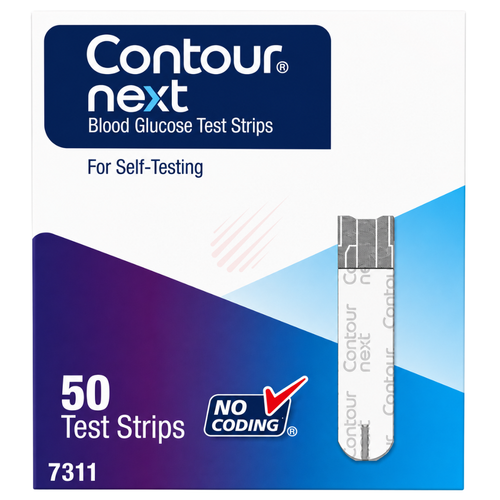
Ascensia Contour Next 50 Blood Glucose Test Strips (2 Pack)
$53.98
Contour Next Blood Glucose Test Strips – 50 Count (2-Pack Bundle) | No Coding Technology Reliable, Highly Accurate Blood Glucose Testing with Second-Chance® Sampling in… read more
View Product
Ascensia Contour Next 50 Blood Glucose Test Strips (4 Pack)
$99.96
Contour Next Blood Glucose Test Strips – 50 Count (4-Pack Bundle) | No Coding Technology Reliable, Highly Accurate Blood Glucose Testing with Second-Chance® Sampling in… read more
View Product
Ascensia Contour Next 50 Blood Glucose Test Strips (6 Pack)
$147.96
Contour Next Blood Glucose Test Strips – 50 Count (6-Pack Bundle) | No Coding Technology Reliable, Highly Accurate Blood Glucose Testing with Second-Chance® Sampling in… read more
View Product
Ascensia Contour Next 50 Blood Glucose Test Strips (12 Pack)
$287.88
Contour Next Blood Glucose Test Strips – 50 Count (12-Pack Bulk Case) | No Coding Technology Reliable, Highly Accurate Blood Glucose Testing with Second-Chance® Sampling… read more
View Product

About Xeteor
Xeteor.com, founded in Las Vegas in 2018, is a trusted online store and healthcare product guide specializing in generic over-the-counter medicines, store-brand alternatives, blood glucose test strips, diabetic testing supplies, vitamins, and healthcare essentials.
We help shoppers find the right product when a brand name is too expensive, a store-brand label is confusing, insurance is not being used, or the product they usually buy is out of stock. For OTC products, our approach compares active ingredients, strengths, dosage forms, package sizes, manufacturers, pricing, availability, and fulfillment options. For diabetic testing supplies, we help customers compare meter compatibility, test strip type, expiration dating, package count, price per strip, and out-of-pocket value.
Our product analysis is led by Joe, the Head Xeteorologist, whose Joe’s Translation insights explain generic OTC products and diabetes supply choices in plain English.
We are the creators of the Xeteor Rx Quality Ladder and the Premium vs. Value Generic Drugs framework. These guides help explain how generic OTC products differ by manufacturer, labeler, sourcing model, supply reliability, and delivered value.
Our OTC generic portfolio includes:
- Tier 1 Premium Generics: GoodSense and Foster & Thrive.
- Tier 2 Standard Generics: Geri-Care, Reliable 1 Laboratories, Oncor Pharmaceuticals, and Health Star.
- Tier 3 Value Generics: Major Pharmaceuticals and Rugby Laboratories.
Many customers also come to Xeteor.com for affordable cash-pay diabetic testing supplies, especially blood glucose test strips, meters, lancets, control solution, and related diabetes supplies. Explore our Diabetes Management Guides, including guides for CareSens Test Strips, True Metrix Test Strips, and Original Bayer Contour Test Strips.
Xeteor is top-rated across major platforms including Trustpilot, Google, eBay, Amazon, and Walmart, with over 10,000 customer reviews across major platforms. Our goal is to combine clear product guidance, reliable products, and real human support by phone, email, and text.
For more plain-English comparisons, visit the Xeteor OTC & Diabetes Guides.
Shipping
Orders placed by 3:00 PM PST, Monday through Friday, usually ship the same business day when fulfilled directly from Xeteor. Network and partner-fulfilled items usually ship within 1 to 2 business days through trusted healthcare distribution partners.
We offer free nationwide shipping on orders over $30 and on qualifying Savings Packs. Some orders may ship in multiple packages if items are fulfilled from different locations. View our full shipping policy.
Payment Methods
We accept Visa, Mastercard, Discover, American Express, PayPal, Venmo, Google Pay, and Apple Pay.
Returns
Purchases are backed by our 100-day return policy. We accept eligible unopened, unused items in their original packaging, with no restocking fees. View our complete return policy.
Need Help?
We’re here for you. Reach out via:
- Phone: 1-833-787-4777 (Monday-Friday, 9 AM-5 PM PST)
- Email: cs@xeteor.com
- Text: 702-659-7022
Visit our full Contact Xeteor Customer Service page for more options.
Disclaimer: This content is for informational purposes only and is not a substitute for professional medical advice. Always read and follow the product label. If you have a medical question, ask your doctor, pharmacist, or other qualified healthcare professional.
Important: Xeteor.com sells over-the-counter products, diabetic testing supplies, vitamins, and healthcare essentials. We do not sell, dispense, or fulfill prescription medications. OTC generic comparisons are based on factors such as active ingredient, strength, dosage form, package size, labeling, availability, and practical use case. Diabetes testing supplies must be compatible with the meter or device being used. Inactive ingredients, packaging, taste, texture, sourcing, expiration dating, and fulfillment path can vary.
Frequently Asked Questions
Do Contour Next test strips need to be calibrated?
No. Contour Next uses No Coding technology, so you do not manually calibrate the strips, enter a code, or insert a code chip.
What is a Contour Next control solution test?
A control solution test checks whether your Contour Next meter and test strips are working together properly. The result should fall within the control range printed on the test strip packaging.
When should I use Contour Next control solution?
Use control solution when using a meter for the first time, opening a new package of strips, getting repeated unexpected readings, or if you suspect the meter or strips may not be working correctly.
What should I do if my Contour Next control solution result is out of range?
Check the expiration dates, confirm you are using Contour Next control solution, make sure the strips were stored properly, and repeat the test with a new strip. If the result remains out of range, review the meter manual or contact Ascensia before relying on the meter.
Do I need to enter a code when opening a new box of Contour Next test strips?
No. Contour Next meters automatically recognize compatible Contour Next test strips. Package numbers such as 7308, 7309, and 7311 are not calibration codes.